
The viral Hotel Lobby AI video trend has taken TikTok, Instagram Reels, and YouTube Shorts by storm. Inspired by the legendary performance on A COLORS SHOW, the format features two performers trading bars in a vibrant, monochrome orange recording booth with a single vintage microphone suspended from the ceiling.
Whether you want to create an energetic rap duo video featuring yourself and a friend, pair unlikely celebrities, or bring creative characters to life, this comprehensive guide will teach you how to do hotel lobby AI videos from scratch—no video editing skills or expensive GPU rigs required.
A Look Inside the Orange Studio
Before diving into the steps, take a look at the studio environment created by the Riffuvo engine. The setup combines seamless burnt-orange acoustics, studio ribbon microphones, and lifelike streetwear styling.

Authentic Hotel Lobby studio aesthetic featuring synchronized dual rap interaction, hanging microphone, and warm directional lighting.
What is the Hotel Lobby AI Trend?
The trend originates from the iconic 2022 studio performance of the hit song Hotel Lobby by Quavo and Takeoff (Unc & Phew) on A COLORS SHOW. Unlike generic music video concepts with rapid cuts, this set is defined by five visual signatures:
- Monochrome Orange Booth: Matte orange soundproof acoustic baffles and floor with warm overhead ambient illumination.
- Hanging Centerpiece Microphone: A single vintage chrome ribbon microphone hanging on a clean cable right between the performers.
- Dynamic Duo Chemistry: Two performers standing side-by-side—one commanding the primary verse with rapid hand gestures while the other delivers ad-libs and nods to the beat.
- Locked-off Mid-Shot Framing: A stable camera angle that keeps both performers in frame from waist up, emphasizing authentic bodily rhythm.
- Punchy 808 Lip Sync: Fast-paced lyric delivery punctuated by head bobs and shoulder sways timed to heavy trap drums.
While earlier creators attempted to replicate this trend using manual green screen masking and complex video software, modern AI generation tools like Riffuvo have automated the entire process into three simple clicks.
Why Simple 2D Face Swapping Fails
Many beginners start by feeding photos into generic 2D face swap apps, only to end up with blurry, unrealistic results that social media audiences instantly scroll past. Here is why basic face-swapping cannot handle the Hotel Lobby performance:
[Traditional 2D Face Swap]
Input Photo ──> Flat 2D Texture Warp ──> Glued over Source Face
Problem: When head turns > 30° or microphone crosses face ──> Severe Glitch & Melting

[Riffuvo Motion Transfer Engine]
Input Photos ──> 3D Facial Mesh & Identity Shield ──> Skeletal Motion Transfer ──> Master Synthesis
Result: Seamless head rotation, natural eyelid tracking, zero mic occlusion artifacts
The Occlusion Challenge
During the performance, artists constantly lean in toward the hanging microphone. As their faces pass behind the metal grille, naive algorithms mistake the microphone for skin, tearing the mouth and nose textures into digital artifacts.
The Head Rotation & Jawline Problem
Rap delivery demands intense physical engagement. Rapping involves rapid head turns, tilted chins, and wide jaw articulation. Flat image-pasting cannot construct profile angles that were missing in the original selfie.
To overcome these roadblocks, Riffuvo combines state-of-the-art Veo and Seedance motion engines with our proprietary Studio Identity Shield Architecture, ensuring that character facial structure remains rock-solid through every bar. For an in-depth breakdown of this architecture, explore our dedicated Hotel Lobby Face Swap Guide.
Step 1: Prepare Two High-Quality Reference Photos
The single most influential factor in your final video quality is your input images. Follow these studio guidelines to ensure razor-sharp facial reproduction:
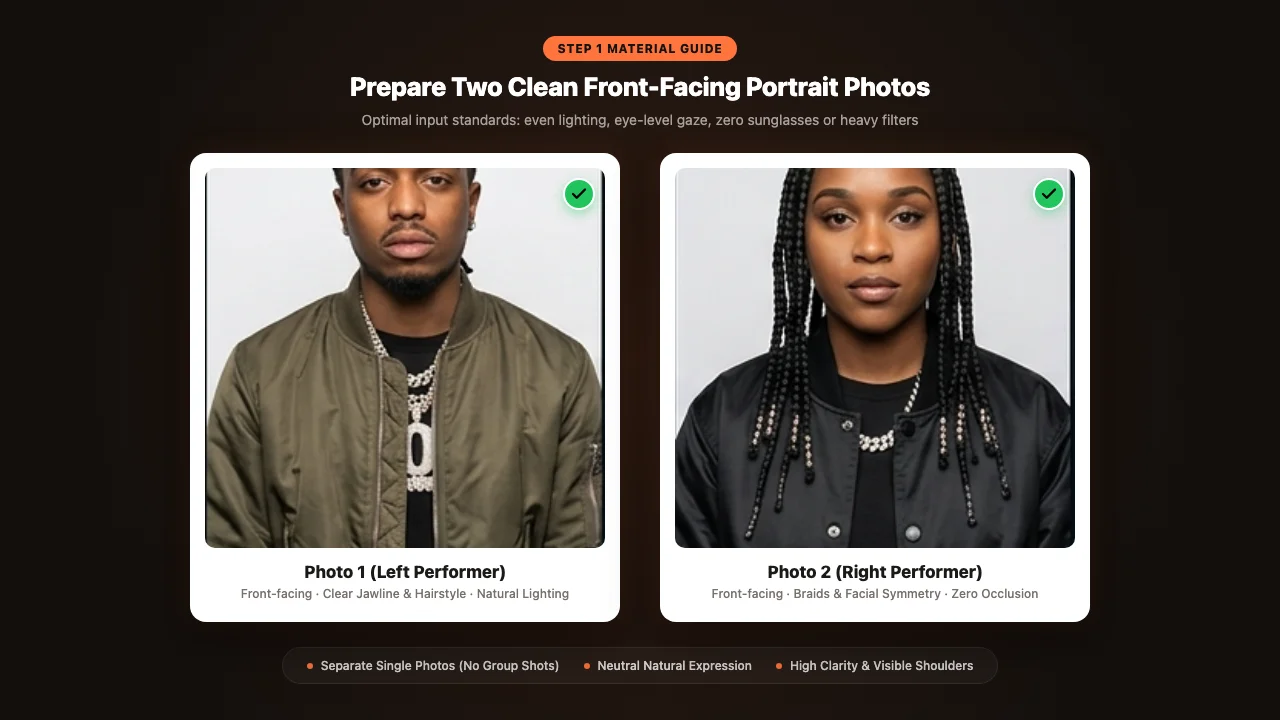
Optimal input photo setup. Even natural lighting, front-facing angle, and unobstructed facial landmarks.
What Works Best:
- Direct Eye Contact: The subject should look straight into the camera lens with a neutral or slight confident expression.
- Balanced Studio or Daylight: Soft, even illumination across both cheeks without harsh side shadows.
- Unobstructed Features: Forehead, eyes, nose, and mouth completely visible.
- Mid-Shot Framing: Head, neck, and shoulders clearly visible to help the AI map clothing transitions.
Common Pitfalls to Avoid:
- No Dark Sunglasses: Tinted lenses hide the eye sockets, preventing the model from generating realistic gaze and blinking.
- No Heavy Filters or Beauty Smoothing: Artificial skin-smoothing removes high-frequency pores and skin contours required for photorealistic rendering.
- No Group Photos: Always upload two separate single-person portraits so the model never confuses identity vectors between the duo.
Step 2: Choose Your Studio Setup & Assign Roles
Once your photos are ready, launch the Hotel Lobby AI Studio (/#create). The workspace lets you tailor the dual dynamic:
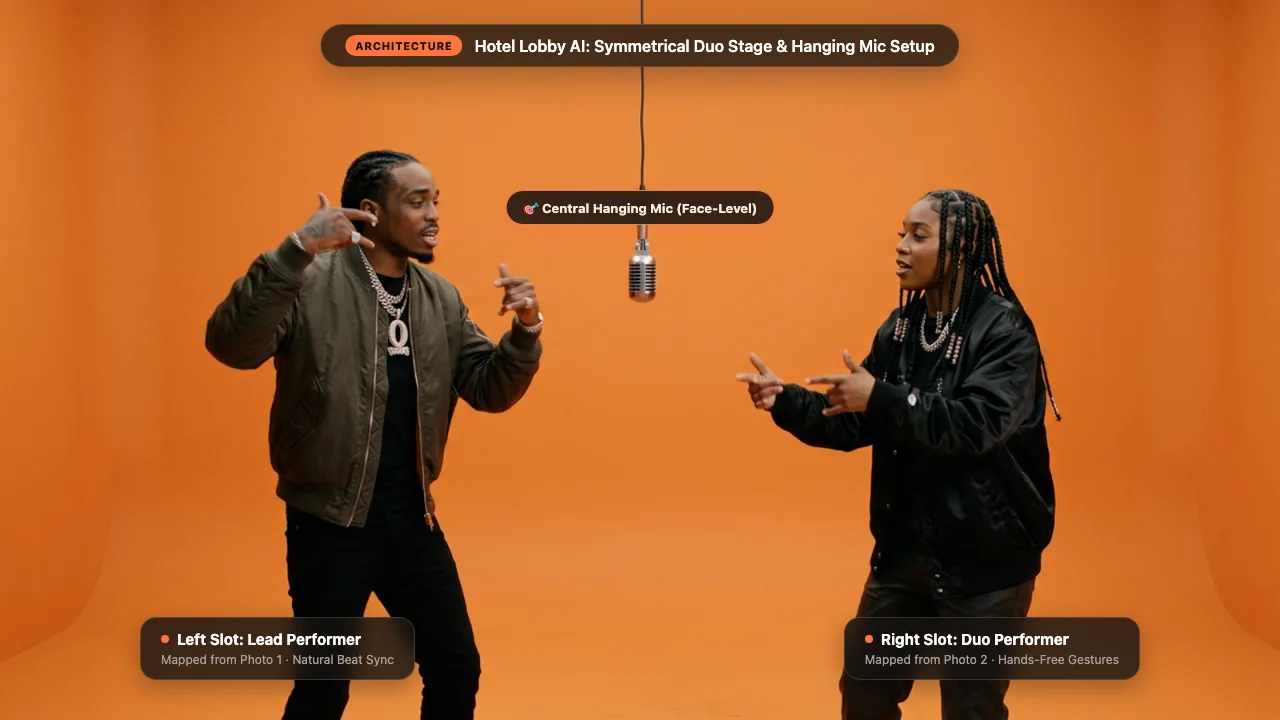
Clean acoustic studio environment with centered hanging microphone and symmetrical duo positioning.
Assigning Left & Right Performers
The original performance features two distinct roles:
- Left Performer (Lead Verse): Delivers rapid lyrical flows with expressive hand gestures, pointing at the camera and leaning into the microphone.
- Right Performer (Hype & Ad-libs): Bobs rhythmically to the 808 bass, hypes the lead vocals, and steps up to the mic for harmonized bars.
Assign your subjects deliberately to match their personalities. For ready-to-use dance choreography and camera framing presets, browse our curated Hotel Lobby AI Template Library.
Selecting the AI Engine (Veo & Seedance)
Riffuvo lets you select between two specialized video generation engines:
- Veo: Optimized for cinematic depth, realistic fabric textures, and subtle facial micro-expressions.
- Seedance: Engineered for high-tempo beat synchronization, dynamic arm gestures, and energetic head movement.
Step 3: Motion Transfer & Identity Synthesis
After clicking Generate, our cloud pipeline executes a multi-stage render:
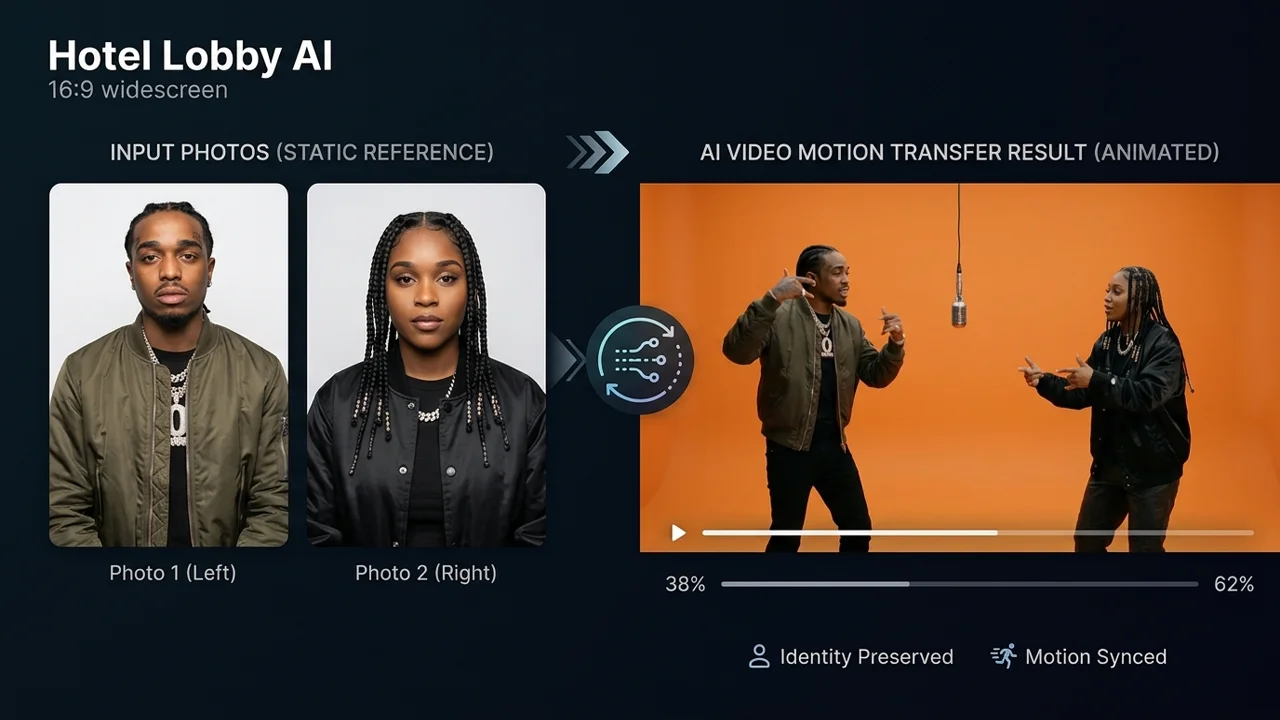
Motion transfer and two-stage identity synthesis ensure natural rap gestures without facial distortion or occlusion glitches.
- Facial Landmark Extraction: 68 facial points and 18 skeletal pose joints are extracted from each reference portrait.
- Pre-Synthesized Studio Compositing: The performers are composited onto the orange set before occlusion rendering, placing the hanging microphone physically in front of their facial planes.
- Motion Transfer & Temporal Smoothing: The choreography vectors from the reference performance guide the characters' joint movements frame-by-frame, preventing jitter and limb morphing.
Step 4: Beat Synchronization & Export
A rap performance is only as good as its timing. While generic tools produce silent video clips that force you to spend 20 minutes manually cutting audio in CapCut, Riffuvo automates sound alignment:
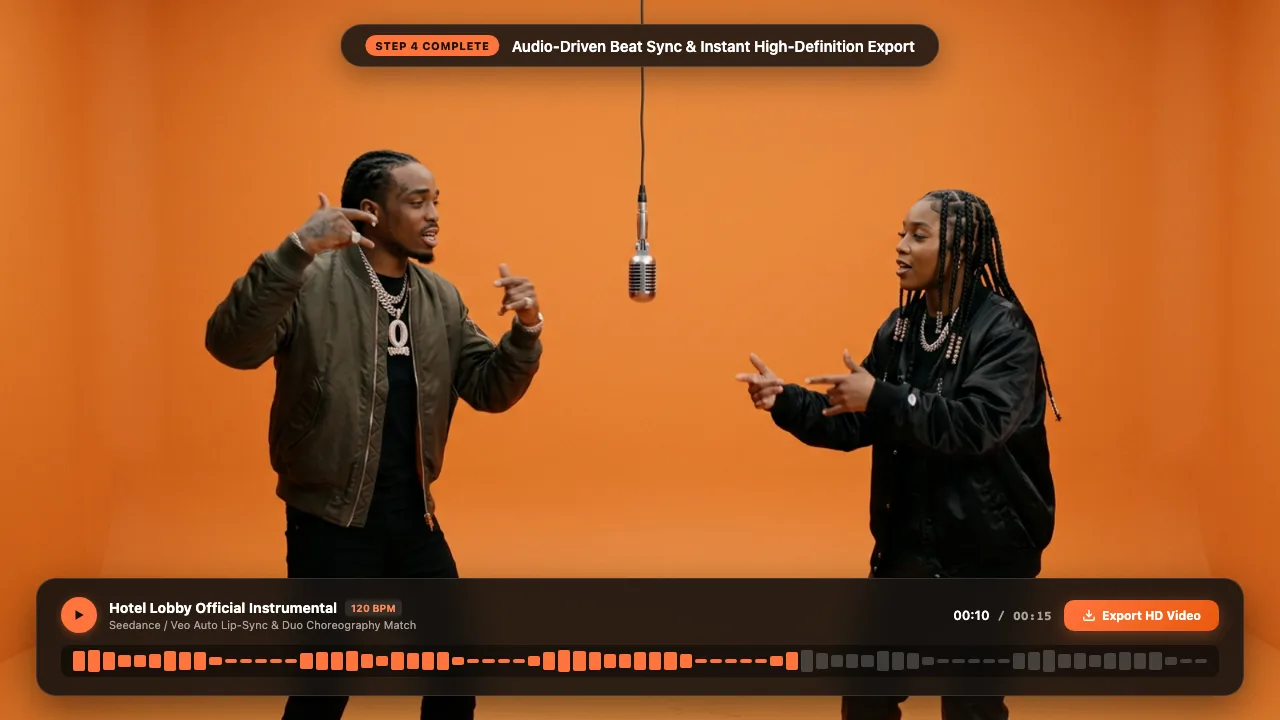
Precision beat-matching and lip-sync alignment ensure every bar lands on the 808 bass drop.
- Automatic Audio Alignment: The 10-second and 15-second song clips are pre-calibrated to the exact downbeat of the track.
- Phoneme Lip Sync: Mouth open-and-close sequences are matched to the vocal track syllables, delivering convincing lyrical flow.
- Direct Social Export: Download your finished MP4 formatted in vertical 9:16 aspect ratio, perfectly optimized for TikTok, Instagram Reels, and YouTube Shorts algorithms.
Example Video: Studio Rap Performance
Watch our official demonstration video to see the motion transfer, lighting integration, and audio synchronization in action:
Notice how the performers maintain natural eye contact, realistic body language, and consistent lighting without any facial tearing when gesturing near the microphone.
5 Pro Tips for Viral Studio Consistency
To maximize your video's virality and aesthetic appeal, incorporate these insider production tips:
| Tip | Strategy | Why It Matters |
|---|---|---|
| 1. Outfit Contrast | Choose contrasting clothing (e.g., dark jacket on left, bright bomber on right) | Creates visual separation between performers and pops against the orange backdrop. |
| 2. Clean Necklines | Use photos with clear jawlines and visible collars | Helps the identity engine cleanly drape metallic chains and outerwear. |
| 3. Subtle Head Angle | A 5° slight head tilt adds natural swag | Avoids the "passport photo" stiffness common in amateur AI generations. |
| 4. High-Res Input | Upload photos with at least 800×800 pixels | Preserves iris reflections, eyelashes, and skin texture during head turns. |
| 5. Leverage Free Trial | Test different photo pairings using your 20 free credits | Check our credit options to batch-create content for your social channels. |
Frequently Asked Questions (FAQ)
What makes Hotel Lobby AI different from standard video generators?
Standard video generators build scenes from open text prompts, often resulting in unpredictable camera angles and shifting character faces. The Hotel Lobby workflow uses a locked studio reference, keeping the orange booth, hanging microphone, and choreography completely stable while transferring only your chosen identities.
Can I use non-human characters or pets?
Yes! The Riffuvo studio engine can map motion vectors onto stylized 3D characters, anime illustrations, and even pets. Check out the animal duos on our main platform for inspiration.
How long does generation take?
Most generations complete within 60 to 90 seconds on our cloud GPU cluster. You will see real-time queue progress directly inside the workspace.
Are there any watermarks on the exported videos?
Free trial videos created with your complimentary 20 credits include a discreet watermark. Premium tiers from our pricing page unlock clean, high-bitrate downloads suitable for commercial publishing.
Extended Reading & Related Guides
Expand your AI music video production skills with our related guides:
- Hotel Lobby AI Studio (/#create): Start creating your duo rap video right now with 20 free credits.
- Hotel Lobby AI Template Library: Explore curated choreography styles, duo positions, and audio lengths.
- Hotel Lobby Face Swap Architecture: Deep-dive into our Two-Stage Studio Identity Shield and occlusion mechanics.
- Riffuvo Transparent Pricing: Compare credit packs and monthly membership benefits.