
The viral Migos Hotel Lobby AI video craze has taken social platforms by storm. Across TikTok, Instagram Reels, and YouTube Shorts, creators are generating high-energy rap duos featuring unlikely celebrity pairings, fictional characters, and everyday friends trading verses inside an unmistakable burnt-orange studio booth.
If you have seen these clips, you might wonder where the footage originates, why everyone associates it with Migos, and how you can produce one yourself without touching complex video editing timelines. In this comprehensive guide, we unpack the origins of the trend, analyze its viral mechanics, and show you how to generate studio-grade clips in seconds using modern generative tools.
Inside the Signature Orange Studio
Before exploring the technical pipeline, take a close look at the visual atmosphere produced by the generation engine. The environment combines matte burnt-orange acoustic paneling, a vintage centerpiece microphone suspended on a black ceiling cord, and streetwear fashion styling.

The quintessential Migos Hotel Lobby visual setting featuring balanced dual performers, overhead microphone staging, and warm directional lighting.
What Is the Migos Hotel Lobby AI Video Trend?
To understand why this meme format spread so quickly, it helps to trace both its cultural background and its visual structure.
The Origin: Quavo & Takeoff on A COLORS SHOW
The foundation of the trend is the 2022 live performance of the song "HOTEL LOBBY (Unc & Phew)" by Quavo and Takeoff on the global music showcase A COLORS SHOW. While casually referred to online as a Migos video because both artists were core members of the legendary Atlanta trio Migos, the song was formally released under their duo moniker Unc & Phew.
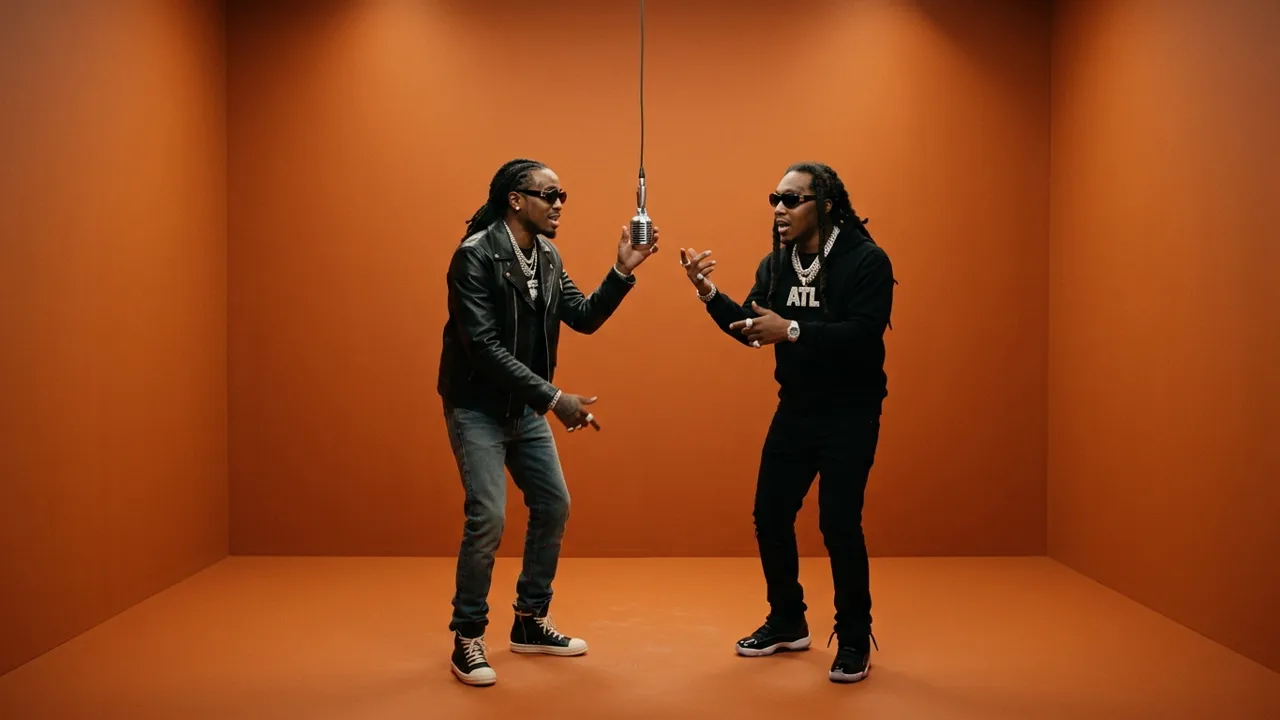
The historic Unc and Phew studio performance that defined the aesthetic of the modern AI trend.
Recorded shortly before Takeoff tragically passed away, that session remains one of the most celebrated moments in contemporary hip-hop history. Their effortless synergy, rhythmic hand gestures, and punchy vocal handoffs established a gold standard for duo music performances.
Five Signature Visual Elements of the Set
The performance is immediately recognized thanks to five distinctive stylistic hallmarks:
- Monochrome Matte-Orange Environment: A clean, single-hue acoustic chamber with seamless backdrops and floors that removes all background distractions.
- Suspended Vintage Center Microphone: An overhead studio ribbon microphone dangling on a straight black cable, serving as the central focal point.
- Alternating Vocal Handoffs: While the lead performer leans forward toward the mic to deliver bars, the partner bounces in rhythm, providing hype and ad-libs.
- Medium Waist-Up Framing: A steady camera composition that captures facial cadence, arm gestures, and streetwear outfits simultaneously.
- Punchy 808 Trap Cadence: Crisp rhythmic pauses and bass-heavy transitions that provide clear comedic timing for digital edits.
How AI Makes the Migos Hotel Lobby Video Possible
Recreating this aesthetic previously required rotoscoping, 3D character rigging, and hours of timeline adjustments. Today, neural character synthesis handles the entire pipeline automatically.
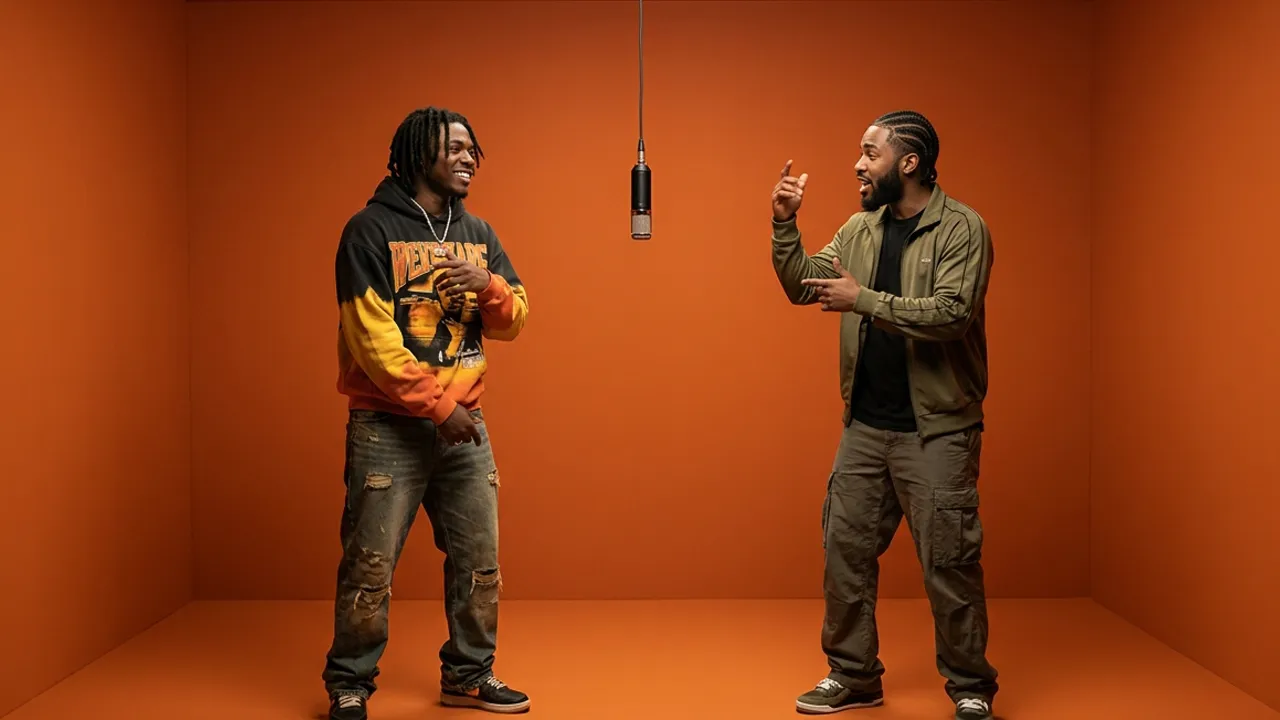
From static portraits to dynamic duo performances through neural motion transfer.
Character Recasting vs. Basic Face Swapping
Traditional face-swapping software merely pasted a two-dimensional facial mask over existing footage. That approach frequently produced uncanny seam lines, mismatched skin tones, and severe visual tearing whenever hands or the hanging microphone crossed in front of the face.
Modern platforms powered by Hotel Lobby AI take an entirely different architectural route. Instead of surface-level warping, the neural network analyzes the underlying skeletal motion, lighting contours, and head rotation from the reference performance. It then synthesizes new video frames where your uploaded subjects embody the posture, clothing folds, and performance swagger of real hip-hop artists.
How to Create Your Migos Hotel Lobby AI Video in 3 Steps
Generating your custom rendition requires no graphic design experience or expensive hardware. Follow this straightforward three-step workflow:
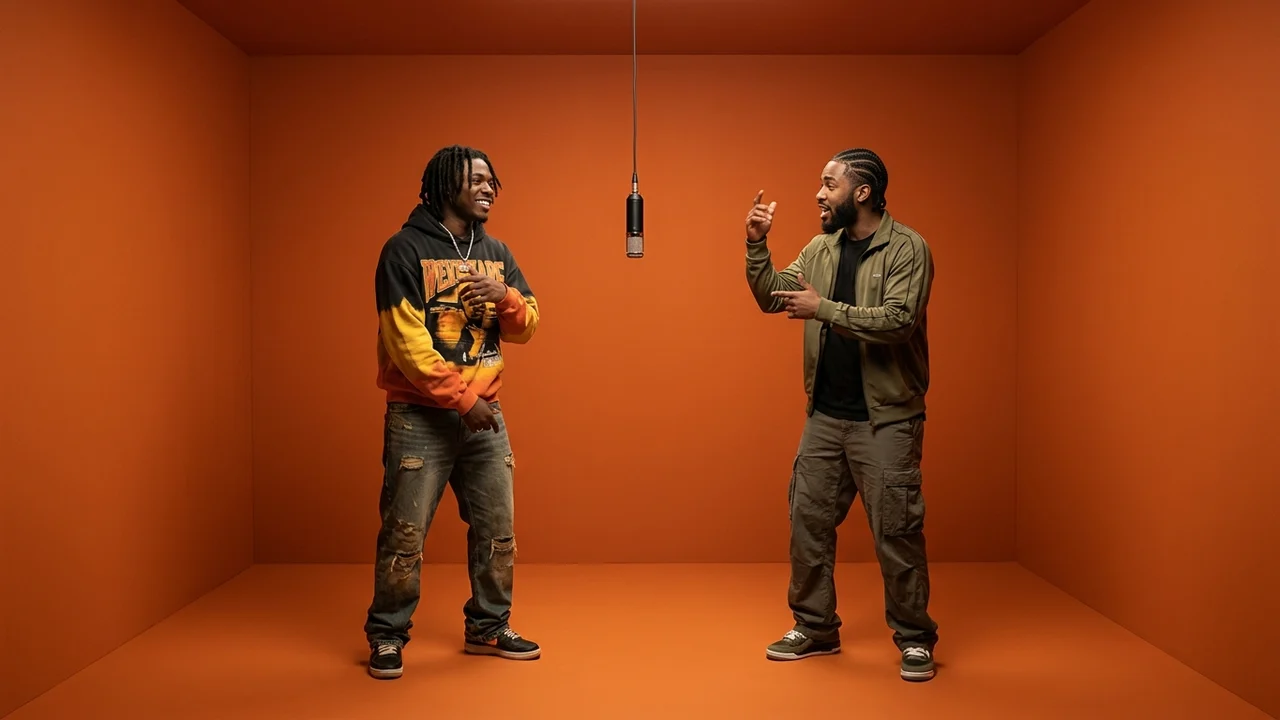
Choose between musical audio-driven gestures and faithful classic choreography.
Step 1: Upload Your Two Performer Portraits
Prepare one clear portrait photo for each character:
- Choose well-lit front-facing images with unobscured facial features.
- Avoid heavy sunglasses, extreme head tilts, or motion blur.
- High-contrast styling (such as one person wearing dark streetwear and the other wearing bright colors) enhances visual separation on screen.
Step 2: Select Your AI Engine
Riffuvo offers two specialized generative models tailored to different creative needs:
- Riffuvo Studio Model: Perfectly recreates the original choreography, head tilts, and hand handoffs of the classic COLORS performance. It features exceptional identity preservation and higher tolerance for celebrity parodies and stylized portraits.
- Veo Engine: Delivers natural vocal cadence and fluid, audio-driven body language that syncs dynamically with the musical flow.
For a detailed exploration of prompt fine-tuning, camera parameters, and lighting controls, read our in-depth guide on how to do hotel lobby ai.
Step 3: Render and Download Your Clip
Veo produces an 8-second clip; the paid Riffuvo Studio Model offers 5-, 10-, or 15-second clips. Before generating, select 9:16 if you want a vertical video; the workspace defaults to 16:9. The cloud GPU cluster processes your project in approximately 60 to 90 seconds. Once completed, preview the beat alignment and download the MP4 in the aspect ratio you selected
Benchmark Demonstration
Watch our studio demonstration below to observe the natural handoff timing, microphone interaction, and unified color grading in action:
Notice the smooth depth perception around the hanging microphone and the synchronized lyrical rhythm.
Workflow Comparison: Traditional Templates vs. Riffuvo
| Feature Dimension | Traditional Editing Templates (Kapwing / Media.io) | Riffuvo Instant Studio |
|---|---|---|
| Setup Time | 15 to 45 minutes | Under 90 seconds |
| Audio Workflow | Manual audio realignment required | Studio Model: built-in original audio or uploaded audio; Veo: generated music |
| Microphone Wire Glitches | Frequent facial warping | Intelligent occlusion preservation |
| Model Selection | Single fixed motion mapper | Dual choice: Veo & Riffuvo Studio Model |
| Output Aspect Ratio | Manual cropping needed | Select 9:16 before generating for vertical output; default is 16:9 |
| Watermark Policy | Paid watermark removal | Free Veo trial includes a watermark; paid plans support watermark-free output |
Viral Pairing Concepts for TikTok and Reels
The shareability of the Migos Hotel Lobby AI video lies in creative duo chemistry. Here are three popular themes dominating social feeds:
1. Cultural and Musical Contrasts
Pairing figures from opposite musical genres (such as classical virtuosos alongside trap heavyweights) produces immediate comedic contrast. The serious rap cadence juxtaposed against formal styling reliably drives high engagement and comment debates.
2. Rivalries and Historical Collabs
Placing iconic sports rivals or historical figures together creates irresistible scroll-stopping content. Audiences love the illusion of two fierce competitors harmoniously trading bars in a music studio.
3. Personal Friendships and Milestone Memes
Using photos of you and your closest friend or sibling turns a personal inside joke into a viral-style music video. It serves as an entertaining birthday greeting or social shoutout that friends will replay repeatedly.
Frequently Asked Questions (FAQ)
Is the original video officially by Migos?
The track "HOTEL LOBBY" was released by Quavo and Takeoff under their official duo project Unc & Phew. However, because both were famous founding members of Migos, social media communities widely refer to the viral trend as the Migos Hotel Lobby video.
Do I need video editing software to sync the music?
No separate editor is required for the built-in audio workflow. The paid Riffuvo Studio Model includes the original audio by default and accepts an optional uploaded audio track. Veo generates original music and vocals instead of the Hotel Lobby recording and does not accept uploaded audio in this workflow
Why do some face swap tools create blurry mouths?
Traditional face swaps paste an image over existing video frames. When performers open their mouths wide or speak fast, the overlay distorts. Riffuvo uses neural character synthesis that recalculates mouth geometry in three dimensions, ensuring crisp lip movements throughout.
Can I generate videos longer than 5 seconds?
Yes. Veo produces 8-second clips. The paid Riffuvo Studio Model offers 5-, 10-, and 15-second options; select it if you need a 10- or 15-second clip
Explore More Hotel Lobby AI Resources
Continue elevating your AI video creations with these helpful links and resources:
- Hotel Lobby AI Studio: Launch the generator now with complimentary trial credits.
- Hotel Lobby AI Template: Discover pre-configured studio choreographies and aspect ratios.
- Hotel Lobby Face Swap: Learn more about our neural identity preservation pipeline.
- How to Do Hotel Lobby AI Tutorial: Review advanced photo curation rules and technical settings.
- Transparent Pricing Plans: Find flexible credit packages tailored for creators and agencies.