
01
Dressed for the duet
A sharp double act with a relaxed performance mood.
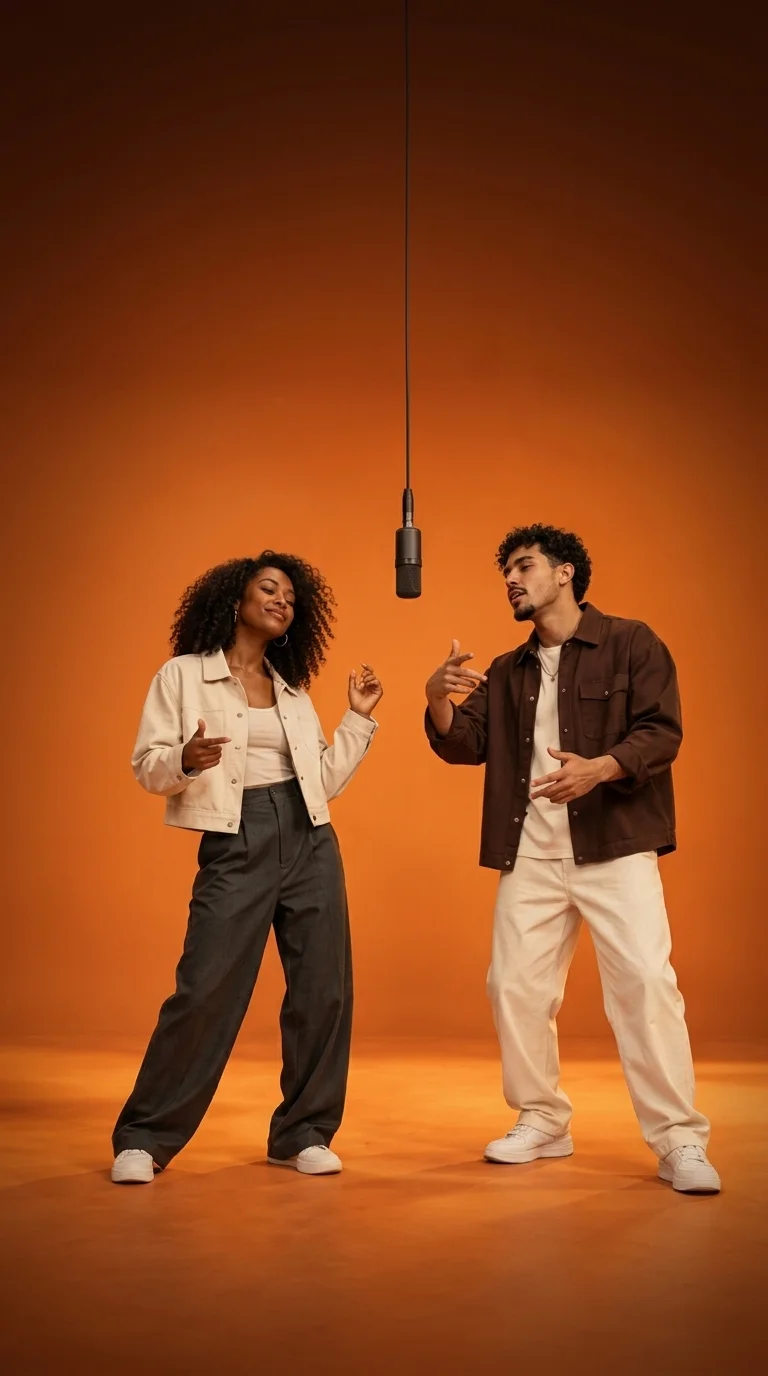
RIFFUVO / THE DUO EDIT
Two photos. One duo.
Your best friend. Your other half. Your most unexpected duo. Turn two photos into a new orange-booth performance with a hanging microphone and a little back-and-forth energy.
20 welcome credits on sign up · No prompt writing needed
01 / FIND YOUR PAIRING
Watch the gestures, the exchanges, and the unexpected combinations. These example videos give you a feel for the Hotel Lobby format before you choose the two subjects for your own clip.
A sharp double act with a relaxed performance mood.
Everyday outfits, familiar faces, a shared stage.
Two different looks make the pairing stand out.
A fresh cast changes the character of the whole scene.
An unlikely pet duo brings a playful twist.
A person-and-pet pairing shares the spotlight.

02 / THE FORMAT
The Hotel Lobby AI template takes its name from the duet-performance trend associated with Quavo and Takeoff's Hotel Lobby on A COLORS SHOW. The recognizable setup is simple: an orange studio, two performers, one hanging microphone, and a centered view that lets their interaction do the work.
Riffuvo creates a new scene from your photos, rather than pasting faces onto supplied footage. You do not need the original performance file or a long prompt. Choose the pair, decide who stands on each side, and let the built-in scene direction handle the studio setup. The movement is newly generated, not a frame-by-frame copy of the original choreography.
Riffuvo is an independent tool, not affiliated with COLORS, Quavo, Takeoff, or their rights holders.
03 / MAKE IT YOURS
The template gives you a starting scene, not another editing project. Prepare the photos, pick your settings in the studio, and preview the finished performance before downloading.
Upload one clear photo for each person, pet, or original character you have permission to feature. Put the first subject on the left and the second on the right. Separate photos give each identity its own reference; a crowded group picture is harder to read.
Choose a vertical or landscape format and a model available on your plan. Veo makes an 8-second clip. Seedance offers 5, 10, or 15 seconds and optional reference audio. Riffuvo first composes the shared scene, then uses that scene to generate the video.
Follow the task in the studio and watch the final video when it is ready. Check both faces, side placement, motion, and audio across the whole clip. Download the result, then use your preferred editor or social app for any additional captions or publishing adjustments.
04 / BETTER REFERENCES
You do not need matching backgrounds or a studio photoshoot. You do need references the model can read. Think about what identifies each subject: face shape, hairstyle, clothes, and distinctive accessories. Give those details room in the photo.
Use a sharp photo with even light. Avoid heavy shadows, large sunglasses, strong beauty filters, and hands covering the face. For pets, keep the eyes and distinctive fur markings visible.
Visible clothing and body shape give the scene more useful context. A waist-up or full-body reference is a good starting point. Crop a group photo down to the single subject you want to use.
Watch for changing facial details, mixed accessories, overlapping limbs, or unexpected framing. Identity preservation guides the generation, but exact likeness, choreography, and lip sync are not guaranteed. Change one input at a time when trying a different version.

05 / YOUR CLIP, YOUR SETTINGS
Both options use the same two-photo workflow and include the scene-composition stage in the video cost. Your plan determines which models are available. The template does not require an extra image-generation purchase.
A focused first take
An 8-second performance with generated audio. Choose 9:16 for a vertical feed or 16:9 for a wider stage. Veo does not accept uploaded reference audio; that is different from producing a silent video.
8 seconds · 15 credits
More room for the exchange
Choose 5, 10, or 15 seconds. Add an authorized MP3 or WAV reference to guide the vocal exchange, or generate without an upload for automatically generated audio. Seedance requires an eligible paid plan; uploaded audio does not guarantee exact lip sync.
5 / 10 / 15 seconds · 12 / 24 / 36 credits
06 / BEFORE YOU CREATE
Example videos are free to watch. New accounts receive 20 welcome credits, which cover one 15-credit Veo clip on the free plan. Further generations use your credit balance. Seedance is available on eligible paid plans, so the welcome offer does not unlock every model.
No. Riffuvo is a browser-based AI video tool, not a CapCut project or template link. It generates a new duo performance from two photos. You can edit the downloaded video in CapCut afterwards, but you do not need CapCut to create it here.
You can download your finished video from the creation studio. This page does not provide an editable template file, the original performance footage, or a separate original song download. The reusable part is the two-photo scene setup in the generator.
Paid users can directly select the built-in 10-second and 15-second classic Hotel Lobby original tracks to generate videos with the iconic beat instantly. With the Seedance model, you can also upload your own audio or let the AI generate rhythmic beats automatically. With the Veo model, background audio is synthesized by the AI. When posting to social platforms, you can also pair your video with the official audio tag.
Choose photos of people who agreed to appear, your pets, or original characters you have permission to use. Keep one subject per photo. Different pairings can change the feel of the scene, but example videos are not a guarantee that every input will produce the same appearance or motion.
Yes, it aligns the lip sync with high accuracy. When paid users generate with the Seedance model and audio (including the built-in 10s/15s original tracks or your own uploaded audio), the AI analyzes the vocal phrasing and beat to maximize lip sync and singing timing. The workflow strictly preserves both subjects' facial likeness, hairstyles, and outfits, while driving natural, energetic duo hip-hop grooves and stage interaction.
A confirmed failed or cancelled task refunds that task's credits. A connection error alone does not prove the generation failed: the studio checks the existing task before offering a fresh submission. Wait for the confirmed result, and use the task's retry option if you want to generate again with your current photos and settings.
Review the full clip, including both faces, body movement, framing, and audio. Use photos and music you have permission to publish, and check the platform's AI-content disclosure requirements. Do not present an AI performance as an authentic recording of someone who never agreed to participate.
YOUR NEXT DOUBLE ACT
Bring your two photos. The orange stage is ready.